



How to Change and Remove an Apple Watch Band
Quick answer: lay the watch face down, press and hold the band release button on the back of the case, and slide the band sideways out of its slot. To fit a new band, slide it in until it clicks. No tools are needed. Check the case size first: bands for 38, 40 and 41mm cases fit each other, and so do bands for 42, 44 and 45mm cases.
Before You Start
Changing an Apple Watch band takes about a minute and needs no tools. Three things make it go smoothly:
- Know your case size. It decides which band width fits. Open Settings, General, About on the watch, or check the number engraved on the case back.
- Work over a soft surface. A microfiber cloth or a soft, padded mat keeps the screen from getting scratched while the watch lies face down.
- Know what band you are removing. A leather strap with a pin buckle comes off the same way as a sport band, but loops, magnetic closures and link bracelets have their own steps, covered below.
Picks to go with this guide
How to Remove an Apple Watch Band
- Place the watch face down on a clean, soft surface, such as a microfiber cloth.
- Find the band release button on the back of the case, beside the band slot. Press it and keep it held down.
- While you hold the button, slide the band across, away from the slot, until it comes out.
- Repeat on the other side. A two-piece strap has two halves, and each one comes off the same way.
If the band does not move, press the release button again and make sure you keep holding it. Apple describes the same steps in its guide to changing your Apple Watch band.
How to Put On a New Band
- Line the end of the band up with the slot on the case. Apple notes that on its own bands the printed text should face you when you insert the band, so check the inside of the strap for any printing.
- Slide it in until you feel and hear a click.
- Give the band a gentle tug to confirm it is locked.
- Repeat with the other half.
Never force a band into the slot. If you do not feel a click, slide the band to the left and then to the right. If it still will not lock, center it, push it into place and wiggle it gently up and down. A band that is seated properly will not slide freely until you press the release button. Do not wear the watch if the band slides.
Which Band Sizes Fit Your Apple Watch
Every Apple Watch band is made for a group of case sizes, and a band fits any case in its group. The table shows Apple's compatibility list next to the two widths we sell.
| Your case size | Bands that fit (Apple's list) | Our leather band |
|---|---|---|
| 38, 40 or 41mm | 38, 40 and 41mm bands | 38/40mm wide |
| 42, 44 or 45mm | 42, 44 and 45mm bands | 42/44mm wide |
| 46mm | 44, 45 and 46mm bands | 42/44mm wide |
| 49mm (Ultra) | 44, 45 and 46mm bands | 42/44mm wide |
Our leather bands fit Apple Watch Series 1 and later, SE and Ultra. The wider band is listed for 42, 44, 45 and 49mm cases, and since Apple's list also takes 44mm bands on a 46mm case, it fits a 46mm watch too. The compatibility also runs the other way: Apple says bands made for 49mm cases fit 44, 45 and 46mm watches. On an Ultra, Apple says the 44, 45 and 46mm bands are meant for casual, everyday wear, while its own 49mm bands are built for rugged activity.
Other Apple Band Types and How They Fasten
Most of the confusion about changing a band comes from the closure, not the slot. The band release button works the same way on every model, but the closures differ. This is how Apple describes them:
| Band type | What to know |
|---|---|
| Solo Loop and Braided Solo Loop | No buckle. Pull from the bottom of the band to stretch it over your wrist, on and off. |
| Milanese Loop | Models from 2018 on open completely when you slide the magnetic closure through the lug. On earlier models the closure will not slide through. |
| Modern Buckle | Press the release buttons on the sides of the magnetic closure and use the adjustment holes to resize. |
| Link Bracelet | Close the butterfly closure, hold a quick release button on the inside and pull the links apart. Separate it into two pieces before taking it off the watch. |
| Titanium Milanese Loop | Lift the clamp, slide the buckle to the position you want while keeping it parallel with the band, then press the clamp down. |
| Ocean Band, Alpine Loop, Trail Loop | 49mm bands for Apple Watch Ultra. Before inserting, make sure the band edge is parallel to the case, then push the lug toward the case with the metal tooth facing down. |
How to Fasten Our Leather Band
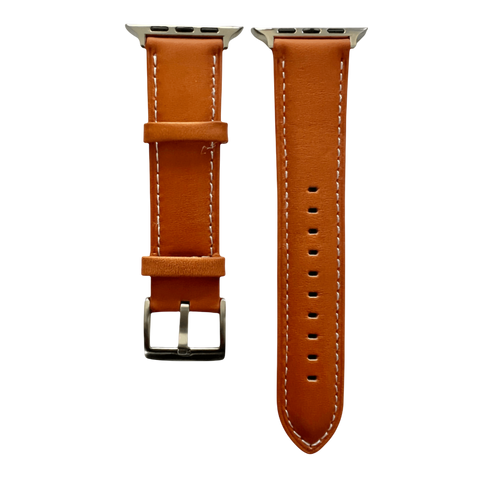
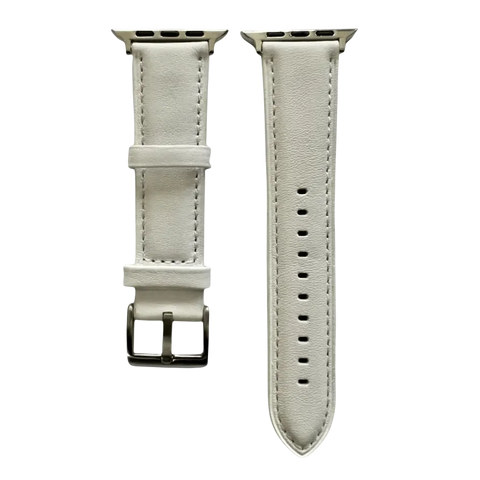
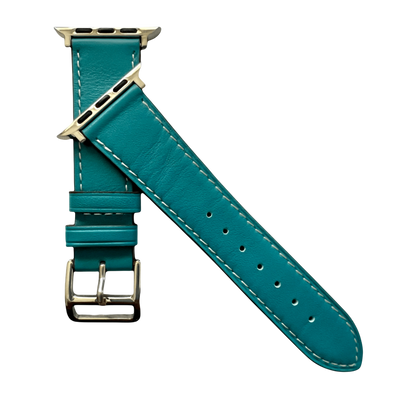
Our leather bands are two-piece straps: one half carries the buckle and its keeper loops, the other half carries the holes. Once both halves are on the watch, fastening works like a classic watch strap.
- Pass the end of the holes half through the buckle, with the strap lying flat against your wrist.
- Push the buckle pin into the hole that gives a snug fit.
- Slide the loose end through the keeper loops so it lies flat and does not flap.
If you are not sure where to start, begin with a hole near the middle of the row and adjust from there. The fit should hold the watch in place when you move your arm, with enough room to slide a fingertip under the band.
Case Size and Wrist Size Are Two Different Things
The case size decides which band fits the watch. Your wrist decides how the band closes. A leather strap with a pin buckle adjusts in steps through its holes, so you can fine-tune the fit once the band is on.
Apple Watch Band Length
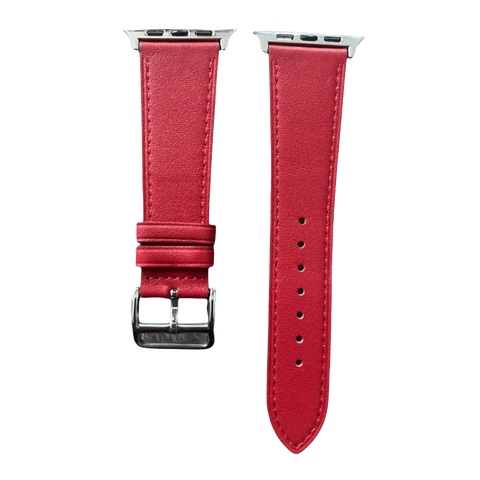
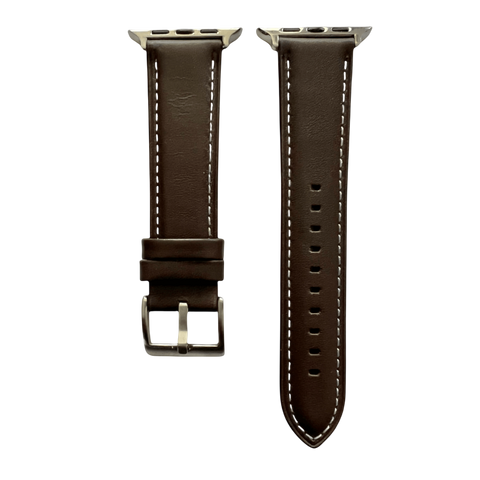
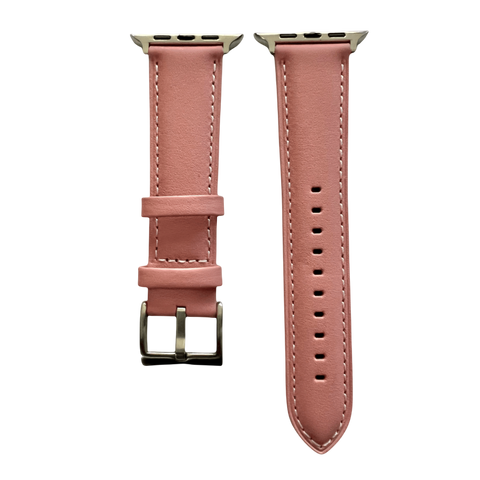
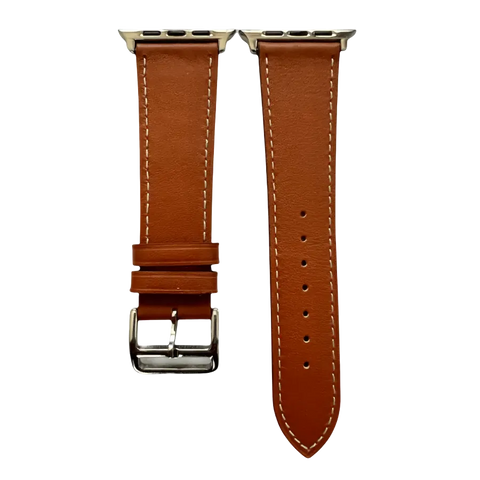
Our two-piece leather Apple Watch bands in 38/40mm and 42/44mm are about the same length. The strap half with holes is about 4.9 in (12.5 cm) long, measured from the adapter to the tip, and has 10 holes spaced about 0.25 in (6 mm) apart. The first hole sits roughly 1.9 in (4.8 cm) from the adapter and the last one roughly 4 in (10 cm) from it. The buckle half is about 3.9 in (10 cm) long, including the buckle. The two sizes differ in band width, not length. All figures are approximate.
Because the holes are about 6 mm apart, moving the pin by one hole changes the loop around your wrist by about 6 mm. That is a fine adjustment, so a band that feels slightly loose or tight can usually be corrected by a single hole.
To measure your wrist, wrap a strip of paper or a soft tape just above the wrist bone and mark where the ends meet. A good fit is snug enough that the watch stays put when you move your arm, and loose enough to slide a fingertip under the band.
Fixing Common Problems
- The band will not slide out. Press the release button again and hold it down for the whole slide.
- The band will not click. Check that you picked the right width group, then follow the left-right slide and the wiggle test above.
- The band feels loose on the case. Take it off and refit it. A properly seated band cannot slide freely until you press the release button.
- The band is the right width but the fit is off. That is a wrist issue, not a case issue. Move the pin one hole at a time, about 6 mm per step on our straps.
- The watch slides around the wrist. Tighten by a hole, and check that the loose end is tucked through the keeper loops.
Caring for a Leather Band You Change Often
Changing bands is easy on leather, as long as the band is looked after between wears. Our leather is full-grain vegetable-tanned and finished with painted edges. It softens with wear, and the color deepens over time.
- Wipe the band with a soft, dry cloth.
- Keep it away from water, heat and chemicals.
- If it gets damp, let it air-dry naturally.
- Use leather conditioner sparingly.
Leather is meant for everyday wear, not swimming or heavy workouts, where sweat and water are hard on it. For more on keeping a band in shape, see the leather care guide, the notes on leather and water, and how to prevent and remove odor from a leather watch band.
Switching Between Leather and Sport Bands
Because changing a band takes seconds, you do not have to pick one for every situation. Many people wear leather for work and evenings, and keep a silicone band for workouts and swimming. Our Apple Watch leather bands guide covers flat versus padded styles and color choices, and the watch band width and sizing guide compares Apple Watch sizing with traditional lug widths.
Before You Order a Band
A short checklist saves a return:
- Find your case size and match it to a width group: 38/40mm wide for 38, 40 and 41mm cases, 42/44mm wide for 42, 44, 45, 46 and 49mm cases.
- Pick a color. Our leather Apple Watch bands are $28 and come with stainless steel adapters and a pin buckle.
- Decide how you will wear it. A two-piece strap with holes suits fine-tuned fit, and a leather band suits daily wear, not the pool.
Ready to browse? See the full Apple Watch leather bands collection, or contact us if you are unsure about your case size.
More picks from the same range


Leave a comment